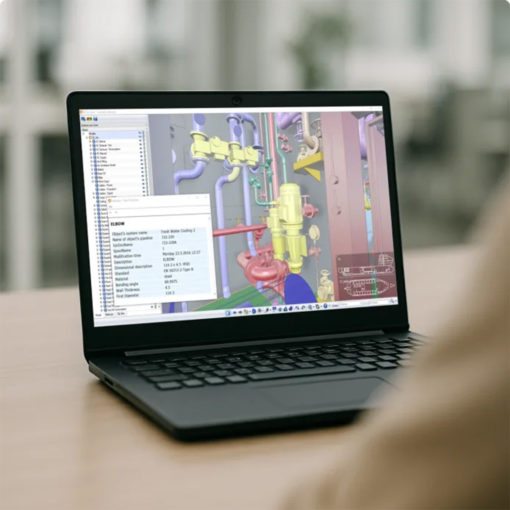
CADMATIC eBrowser
CADMATIC eBrowser is a lightweight application for exploring and reviewing 3D models without using the original design software. Compact model files combine geometry, metadata and comments in an easy-to-navigate environment, supporting clear communication between designers, customers, suppliers, production teams and on-site personnel.
CADMATIC eBrowser allows users to navigate 3D models, inspect object properties, take measurements and add comments or markups. Models from different disciplines and systems can be combined, compared and shared to support design reviews, coordination and project communication.
It is designed for engineering companies, shipyards, industrial plants, contractors, suppliers and customers who need to review project models without specialist CAD tools. Its intuitive interface also makes project information accessible to production, construction and maintenance teams.
- Industrial plant engineering
- Shipbuilding
- Offshore
- Oil & Gas
- Energy
- Process industries
- Construction and installation
- Production planning
- Maintenance
- Design reviews
Benefits
Accessibility
The intuitive interface makes complex 3D models and project information accessible to users without specialist CAD skills or dedicated technical training.
Speed
Compact model files open quickly and allow users to navigate, inspect and review large multidisciplinary projects efficiently throughout daily activities.
Clarity
Geometry, properties and comments are displayed in a shared visual environment, making project information easier to understand and communicate.
Collaboration
Designers, customers, suppliers and site teams can review the same model, exchange comments and coordinate project decisions effectively.
Portability
Compact EBMX files make project models easier to distribute, store and use across offices, production facilities and construction sites.
Accuracy
Measurement and inspection tools help users verify distances, angles, positions and project details directly within the 3D model during review activities.
Compatibility
Models and information from different design systems can be imported, combined and reviewed within one coordinated visual environment.
Control
Model comparison, clash detection and review tools help identify changes, coordination issues and critical details before production.
Independence
Models can be explored and reviewed offline without access to the original design system, an active CAD software licence or an internet connection.
Capabilities
- 3D model navigation
- Object property viewing
- Distance and angle measurement
- Comments and markups
- Compact EBMX files
- Offline use
- IFC format support
- Combination of multiple models
- Model version comparison
- Clash detection
- Point cloud management
- Clip Box visualization
- Virtual reality navigation
- Model export with geometry, metadata and comments
- Support for DWG, DXF, DWF, DGN, IFC and NWD formats